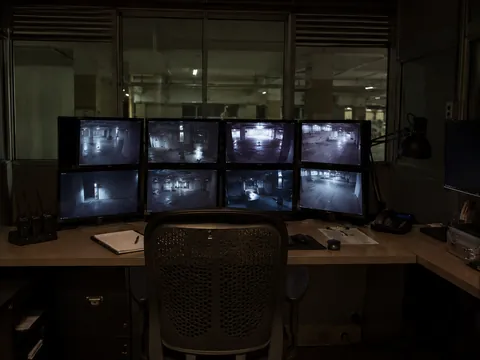
System 06 of 07
Command & integration
Every other discipline produces events. This is the one that decides whether a person can act on them. It is also the discipline that separates a firm that installs systems from a firm that engineers them, and it is where most integrations quietly stop at the point of demonstration.
What this system covers
- Integration platform
- The single surface on which video, access, fire, intrusion and building events are presented together rather than side by side.
- Alarm rationalisation and escalation
- What reaches an operator, at what priority, and what they are expected to do about each one.
- Operator interface and procedures
- Designed for a single person on a night shift whose main job may be something else.
- Evidence management
- Retention, export and chain of custody: how a specific piece is produced, quickly, in a form somebody will accept.
- Reporting
- What the system tells you routinely, without anybody having to ask it a question.
- Cyber posture and data residency
- Where recordings physically sit, who can reach them, and how the platform is kept patched and in support.
Design decisions
Eight choices that determine whether a control room acts or watches.
- 01 One picture, not five windowsFive systems each doing their job correctly, and nobody holding the whole event. The room either puts them together or somebody has to.Camera softwareAccess softwareAlarm panelBuilding systemFire panelPaper logbook
- 22:41:04Lighting circuit off, rear corridor
- 22:41:07Motion detected, same corridor
- 22:41:09Door 3 forced
- 22:41:11Zone 4 alarm
- 22:41:11Camera 14 pinned, recording held
- 22:41:12Escalated to duty manager
Five systems, five windowsFour things happened in seven seconds, in four different programmes, and one of them was four seconds before the rest. The operator has to notice all four, work out they are the same event, and do it while it is still happening.
One system, one pictureThe same four things, plus two the operator would never have seen. In order, on one screen, with the camera already held and the duty manager already called.
Everything on the left is working. Every system did its job. What nobody bought was the thing that puts them in one place, and that is the difference between a room that watches and a room that acts.
- 02 The number of screens a person can actually watchOne camera on the left wall has an intruder on it. Find it.
- Cam 01
- Cam 02
- Cam 03
- Cam 04
- Cam 05
- Cam 06
- Cam 07
- Cam 08
- Cam 09
- Cam 10
- Cam 11
- Cam 12
- Cam 13
- Cam 14
- Cam 15
- Cam 16
- Cam 17
- Cam 18
- Cam 19
- Cam 20
- Cam 21
- Cam 22
- Cam 23
- Cam 24
- Cam 25
- Cam 26
- Cam 27
- Cam 28
- Cam 29
- Cam 30
- Cam 31
- Cam 32
- Cam 33
- Cam 34
- Cam 35
- Cam 36
- Cam 37
- Cam 38
- Cam 39
- Cam 40
- Main gate
- Lobby
- Rear corridor
- Server room
- Loading bay
- Car park
Forty viewsIt is on there. So is everything else. A person watching forty pictures is not watching any of them, and the one that matters looks exactly like the thirty-nine that do not.
Six, chosenThe same alert, and you found it without being told where to look. The other thirty-four are one click away and still recording.
Every camera is still recording either way. The question is only which six a person is looking at while it happens.
- 03 What happens when nobody answersAn alarm at two in the morning. Press it and wait.
Time since the alarm5:30
- On screen in the control roomNobody is at the deskOn screen
- Duty engineer, calledAfter 90 seconds with no answerCalled
- Site manager, calledAfter a further 3 minutesCalled
No escalation set upThe alarm appears on a screen in an empty room and stays there. It is still on the screen at nine the next morning, and by then it is a report rather than a response.
Escalation set upNinety seconds of silence and the duty engineer is called. Three minutes more and the site manager is. Nobody had to remember to do it.
- 04 The operational requirement written before the platform is chosenWhat the room is for, what it must do on each event type, and who is on shift. Selecting a platform first is how a site ends up adapting its operation to its software.
- 05 Procedures in the platform, not pinned to a wallThe response prompted by the system, so it does not depend on who is on shift or how long they have been there.
- 06 Integration proved by event, not by demonstrationEach cross-system behaviour tested end to end and witnessed. A demonstration proves the software can; a witnessed test proves the site does.
- 07 Retention and export verified against real recordingMeasured after commissioning, and export written as a procedure anybody on shift can follow.
- 08 The room designed for an eight-hour shiftSightlines, glare, seating and lighting. Operator fatigue is a design defect, not a staffing problem.
Where the data sits, who can reach it, and how that access is logged. Answered at specification rather than when somebody asks.
Standards and approvals
- Digital Personal Data Protection Act 2023
- Recordings and access logs as personal data. Residency, retention, purpose and erasure.
- Client content-security and vendor audits
- Where a client's own audit sets physical and logging requirements, those govern.
- Cyber hygiene for OT and security networks
- Security devices are segregated from the business network, patched on a schedule, and remote access is managed rather than left open. Where a client’s own security policy sets requirements beyond this, those govern.
What we hand over
- Alarm matrix
- Every alarm, its priority, its escalation path and its expected action.
- Platform configuration record
- Users, permissions, integrations and retention settings.
- Standard operating procedures
- One per alarm type, written for the person on shift rather than for the manual.
- Export procedure
- Written, performed once at commissioning, and the elapsed time recorded, so you know what producing a specific clip costs before the day you need it.
- Currency register
- Versions, licences and support expiry dates with action dates against each.
- Daily health report specification
- What is checked automatically, what is reported, and to whom.
| Interface | Normally contracted to | When it is nobody’s |
|---|---|---|
| Every other system | Five separate vendors | Five systems that work individually and produce no combined response. |
| Network and servers | Client IT, consulted late | A security platform placed on the wrong network, with nobody owning its patching. |
| Console and room fit-out | Fit-out contractor | A room that looks impressive and cannot be worked in for eight hours. |
| Remote access | Nobody, until it is needed | Support requires somebody to drive to site, or an unmanaged tunnel gets opened. |
Across the spine
Command & integration appears at two stages. It governs one.
- 03 Inside the building
- 06 Control room : the stage this system governs
Every other stage ends here, which is why the failures of all five arrive together.
Have an integration scope you would like reviewed before it goes out?
We review specifications, drawings and cause-and-effect matrices for consultants and project management teams. Findings in writing, no obligation, and no approach to your client.
Findings in writing. No obligation.
Request a design review